

The first and only harness-based device of its kind, TruAlert Height Sensor ensures that your climbers never forget to clip in.
TruAlert Height Sensor
Catch mistakes before they happen.
TruAlert Height Sensor provides real-time monitoring to enhance safety in your facility and prevent climbing mistakes.
-
 If the climber isn't clipped in, a warning sounds at 1.5m.
-
If the climber reaches 2.5m, the safety alarm goes off.
MANUALS & DOCUMENTS
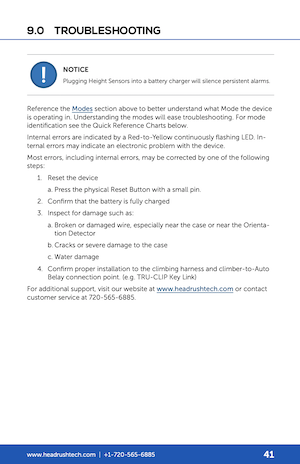
COMMON QUESTIONS
Looking for a little extra help?
Why does the TruAlert Height Sensor keep alarming even when people are on the ground?
Ensure that all TruAlert Height Sensors are properly paired to at least five (5) TruAlert Reset Remotes. TruAlert Reset Remotes broadcast safe level to all paired TruAlert Height Sensors. Refer to the Pairing Section of the Operator Manual.
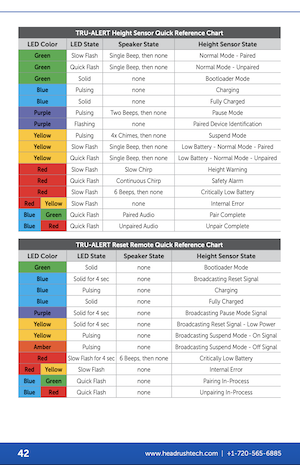
Is there a quick guide to understand what the LEDs mean?
Yes! A Quick Reference Chart is available in the Troubleshooting section of the Operator Manual and linked here.
Can I use the TruAlert Height Sensor with a carabiner connection?
No. The Orientation Detector must be installed on either a TruClip Key Link, Self Belay Delta Link, or Belay Mate Link using one of the TruBlue Technologies proprietary TruClip Attachment Brackets.
Why can’t I climb with a TruAlert Reset Remote?
Safe Level is equal to the TruAlert Reset Remote level. The TruAlert Reset Remote broadcasts Safe Level to all paired TruAlert Height Sensors. If a staff member climbs with a Reset Remote, then the Safe Level will rise also. Luckily, TruAlert Height Sensors average the readings from all paired TruAlert Reset Remotes to help reduce this effect. TruBlue recommends pairing at least five (5) TruAlert Reset Remotes to all TruAlert Height Sensors for best results.
Can I leave the devices plugged in overnight for charging?
Yes. The devices are equipped with overcharge protection, so there is no harm in plugging the devices in for long periods of time.
How do I check if my TruAlert Reset Remote is already paired with a TruAlert Height Sensor?
Press and release the Physical Reset Button on a TruAlert Reset Remote. The LED of the Reset Remote will turn solid green for ~10 seconds, then will begin flashing pink. All TruAlert Height Sensors that are properly paired to that Reset Remote will also flash pink.
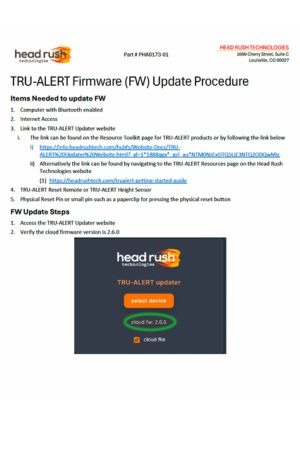
How do I update the firmware for my TruAlert Height Sensor?
To update the firm ware for your TruAlert Height Sensor, visit this website and follow the prompts.